On this page
To watch IPTV on an LG Smart TV, open the LG Content Store, install Hot IPTV or IBO Player, and link the app to your subscription from your phone using the MAC address it shows. It takes about 10 minutes and you do not need any extra box.
LG TVs run webOS. There is no Google Play Store and no Downloader on webOS, so you cannot sideload apps — but you do not need to: both recommended players are in LG's official store.
What you need
- An LG Smart TV (webOS) connected to the internet
- An IPTV subscription — or a free 24-hour test, no card needed
- Your M3U link from the delivery email (also on your account page under Subscriptions)
- A phone or computer to add the playlist
- At least 15 Mbps for HD and 30 Mbps for 4K
Which player to install on an LG TV
| Player | Search the LG Content Store for | Developer to check |
|---|---|---|
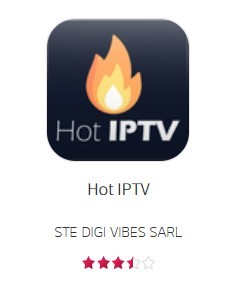
| Hot Player | Hot IPTV | STE DIGI VIBES SARL |
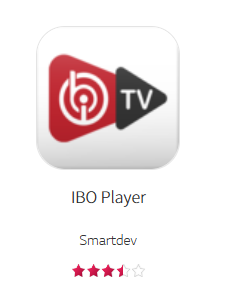
| IBO Player | IBO Player | — |
On LG, Hot Player is listed as Hot IPTV — same app, different store name. We recommend it for the quickest setup; IBO Player is the alternative if you already use it on another device. Comparison: Hot Player vs IBO Player.
Step 1: Open the LG Content Store
Press the Home button on the Magic Remote and open LG Content Store (on newer TVs it is called Apps).
Step 2: Search for the player
Select the search icon and type Hot IPTV (or IBO Player).
Step 3: Check the developer
Look-alike apps with similar names are common. On the app page, check that Hot IPTV is published by STE DIGI VIBES SARL before you install. If the developer is different, it is not the app this guide covers.
Step 4: Install and open the app
Select Install, wait until it finishes, then select Launch. The app is added to the home bar automatically; you can move it to the front with a long press on the Magic Remote.
Step 5: Write down the MAC address
The first screen of the app shows what you need to link your subscription:
- Hot IPTV: a MAC address
- IBO Player: a MAC address and a device key
Take a photo of it. Use the code the app shows — not the MAC address in your TV's network settings.
Ready to watch?
Try every channel free for 24 hours. No payment, no commitment.
Step 6: Add your subscription from your phone
On your phone or computer:
- Hot IPTV: go to
hotplayer.app/upload, type the MAC address, keep Source on Link, paste the M3U link and press Save. Full guide: How to activate Hot Player. - IBO Player: go to
iboplayer.com/device/activate, type the MAC address and device key, choose Add Playlist and paste the M3U link. Full guide: How to activate IBO Player.
Close the app on the TV and launch it again. Your channels, movies and series load.
Hot Player and IBO Player are paid apps licensed per TV. A licence is included free with our 12-month, 24-month and Lifetime plans — request it from the Applications page and our team activates it within 24 hours.
Troubleshooting
The LG Content Store does not show Hot IPTV
Check the spelling and that the TV's country (location) setting matches where you live — the store only lists apps for that region. Some older webOS versions list fewer apps; if your TV cannot find either player, a Fire TV Stick or an Android TV box plugged into HDMI solves it.
The app shows "Playlist not found" or stays empty
The playlist is not linked to that MAC address yet, or the app has not been restarted. Re-enter the MAC exactly as shown on the TV, save again, and fully close the app before reopening it.
Channels start, then freeze
Use a network cable instead of Wi-Fi if possible, restart the router, and check that nobody else is watching on the same line. More: IPTV buffering: what actually works.
FAQ
Do I need a box to watch IPTV on an LG TV?
No. A webOS LG TV runs the player app itself. A box or stick is only needed if your model cannot install the app.
Can I sideload apps or use Downloader on LG?
No. webOS does not allow apps from outside the LG Content Store, and Downloader does not exist on LG TVs. Both recommended players are in the official store, so you do not need to.
Hot IPTV or IBO Player on LG — which is better?
Hot IPTV is lighter and quicker to set up; IBO Player is better known and runs on almost everything. They play the same channels. See the full comparison.
Will it work on my LG OLED in 4K?
Yes. With at least 30 Mbps, content that is available in 4K plays in 4K on LG OLED and NanoCell TVs.
Prefer clicking? The LG installation guide shows these steps interactively.
Prefer to click through it?
The interactive installation guide shows the exact steps for your device and player.
Open the installation guide →