On this page
The easiest way to watch IPTV on an Android phone or tablet is the free MYTVOnline+ app from the Google Play Store: install it, choose Add m3u Playlist, paste your M3U link and tap Connect. No licence, no MAC address and no website — you are watching in about two minutes.
If you prefer the same player you use on your TV, you can also install Hot Player or IBO Player — see the second part of this guide.
What you need
- An Android phone or tablet
- An IPTV subscription — or a free 24-hour test, no card needed
- Your M3U link (in your delivery email and on your account page under Subscriptions)
- A good Wi-Fi or 4G/5G connection — around 15 Mbps for HD
Option 1: MYTVOnline+ (free, recommended)
Step 1: Install MYTVOnline+
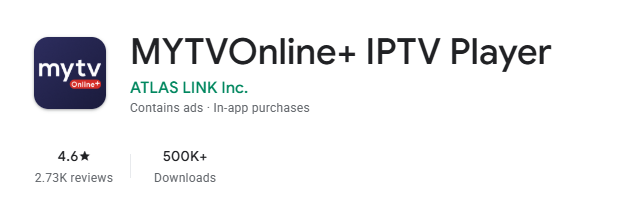
Open the Google Play Store, search for MYTVOnline+ and check that the developer is ATLAS LINK before tapping Install.
Step 2: Open Content Sources
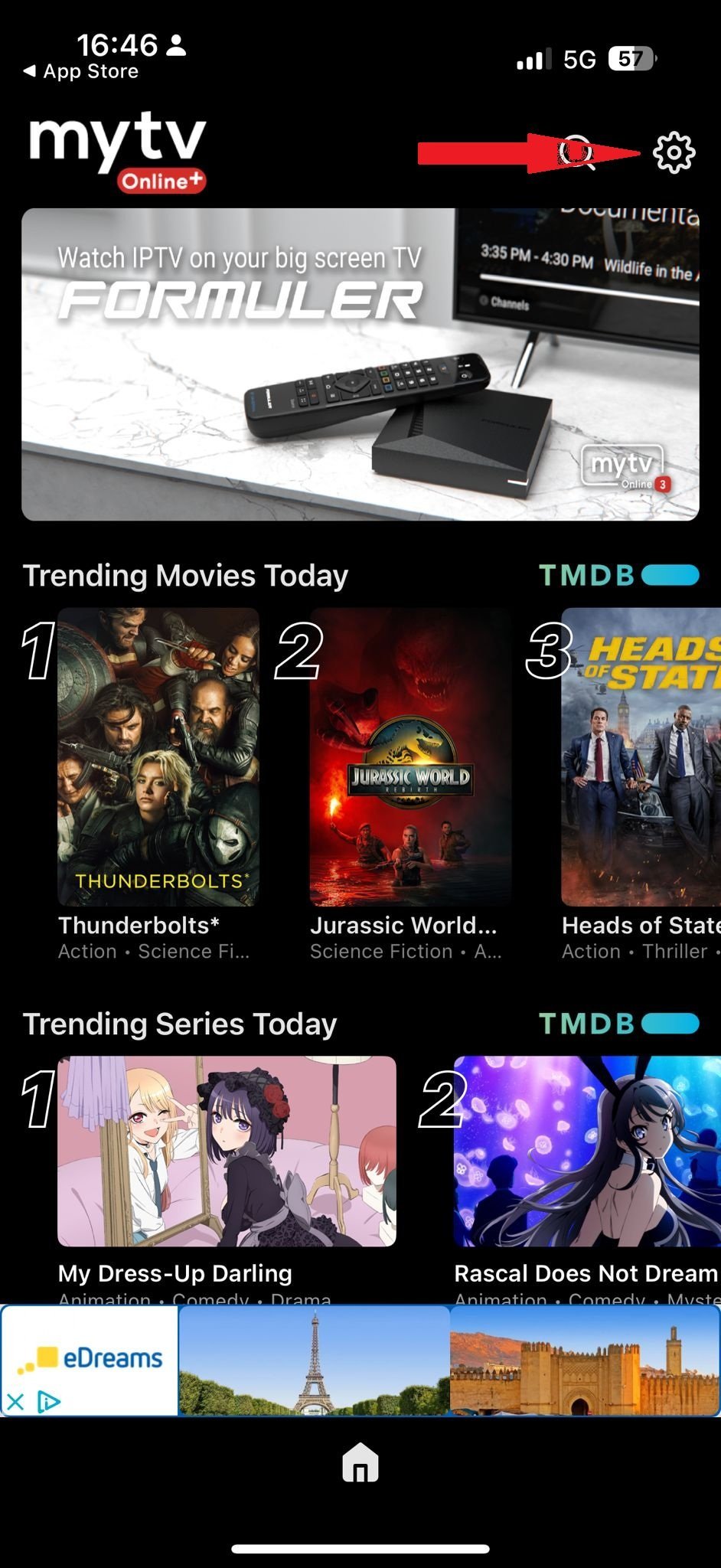
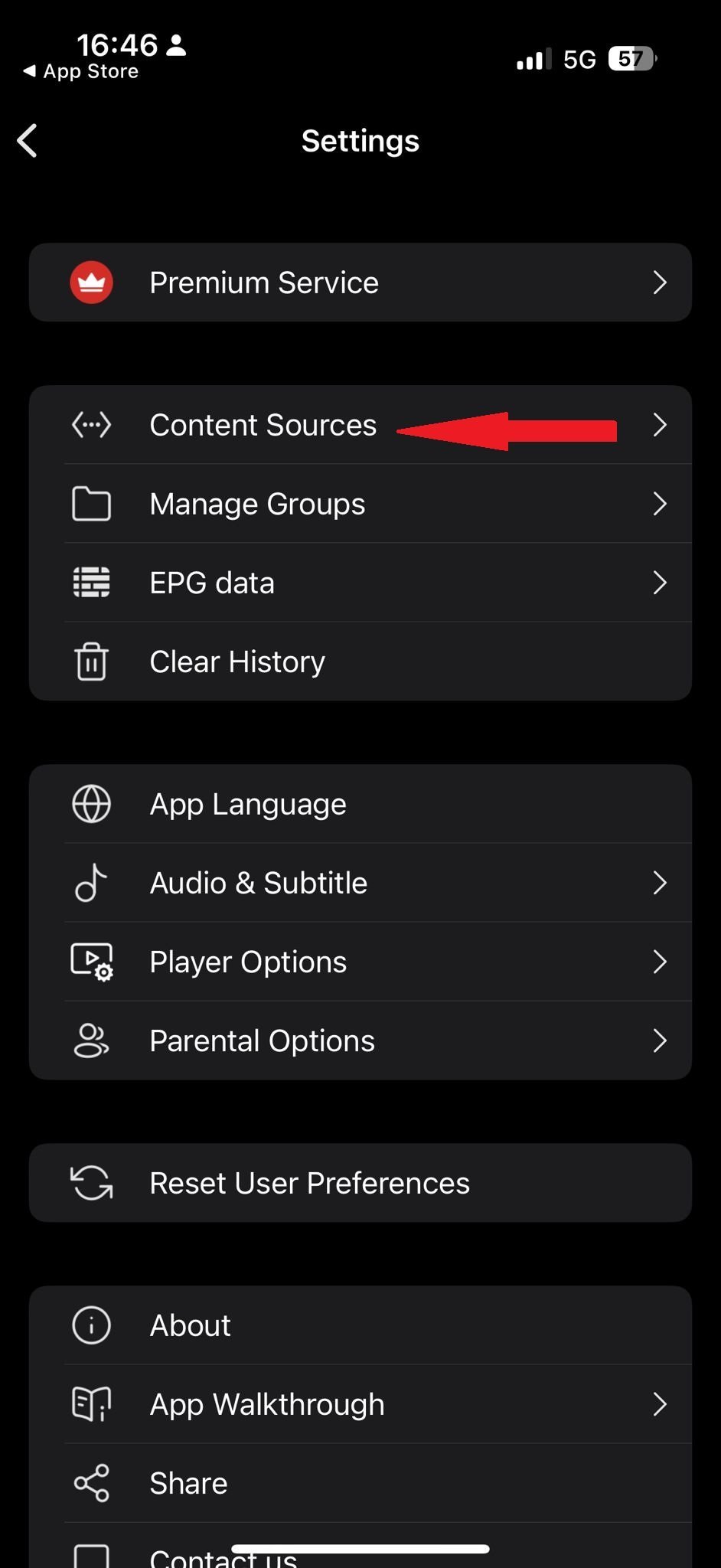
Open the app, tap the gear icon in the top right, then Content Sources.
Step 3: Add your M3U playlist
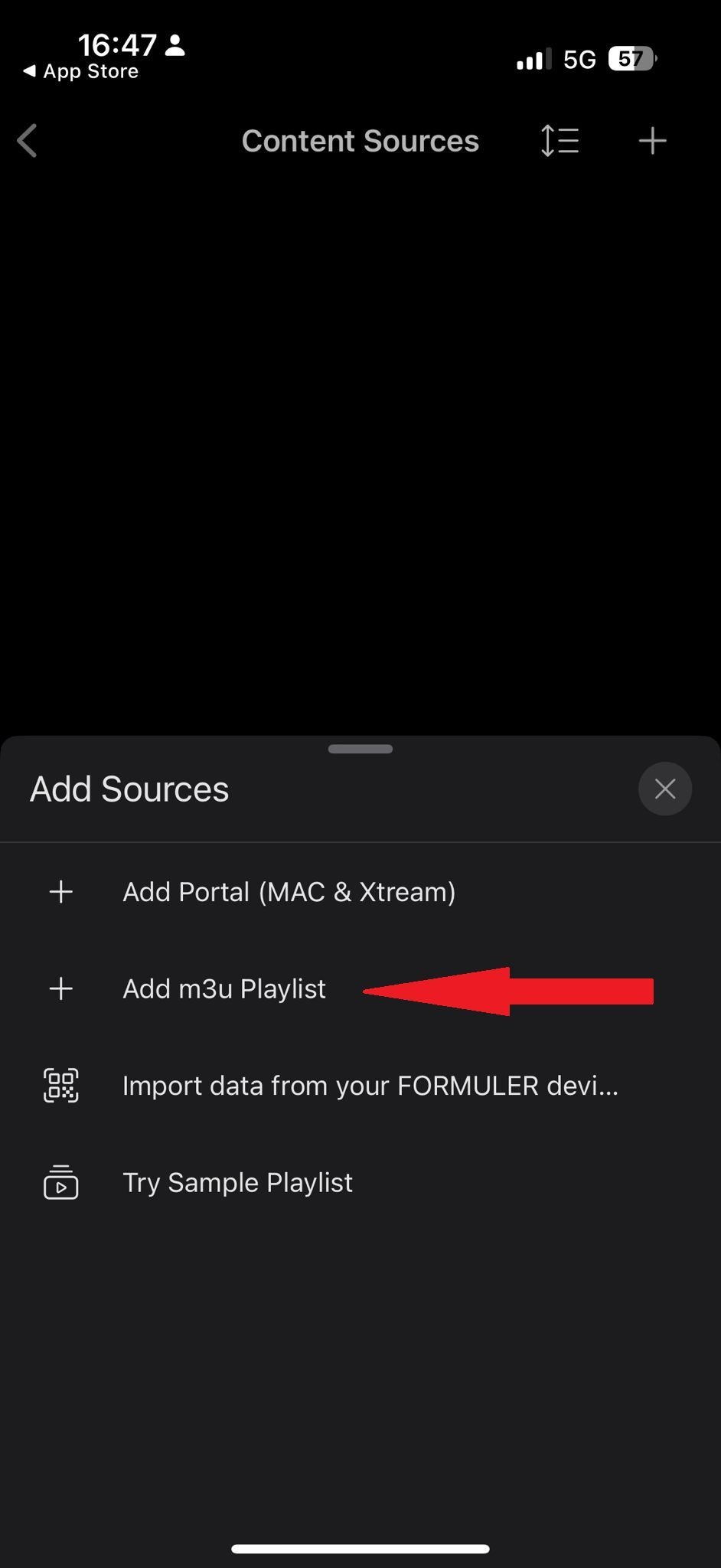
- Tap the + icon in the top right corner.
- Choose Add m3u Playlist — not Add Portal, which is for a different kind of subscription.
- Type any Playlist NickName, paste your M3U link into Playlist URL, leave the optional fields empty and tap Connect.
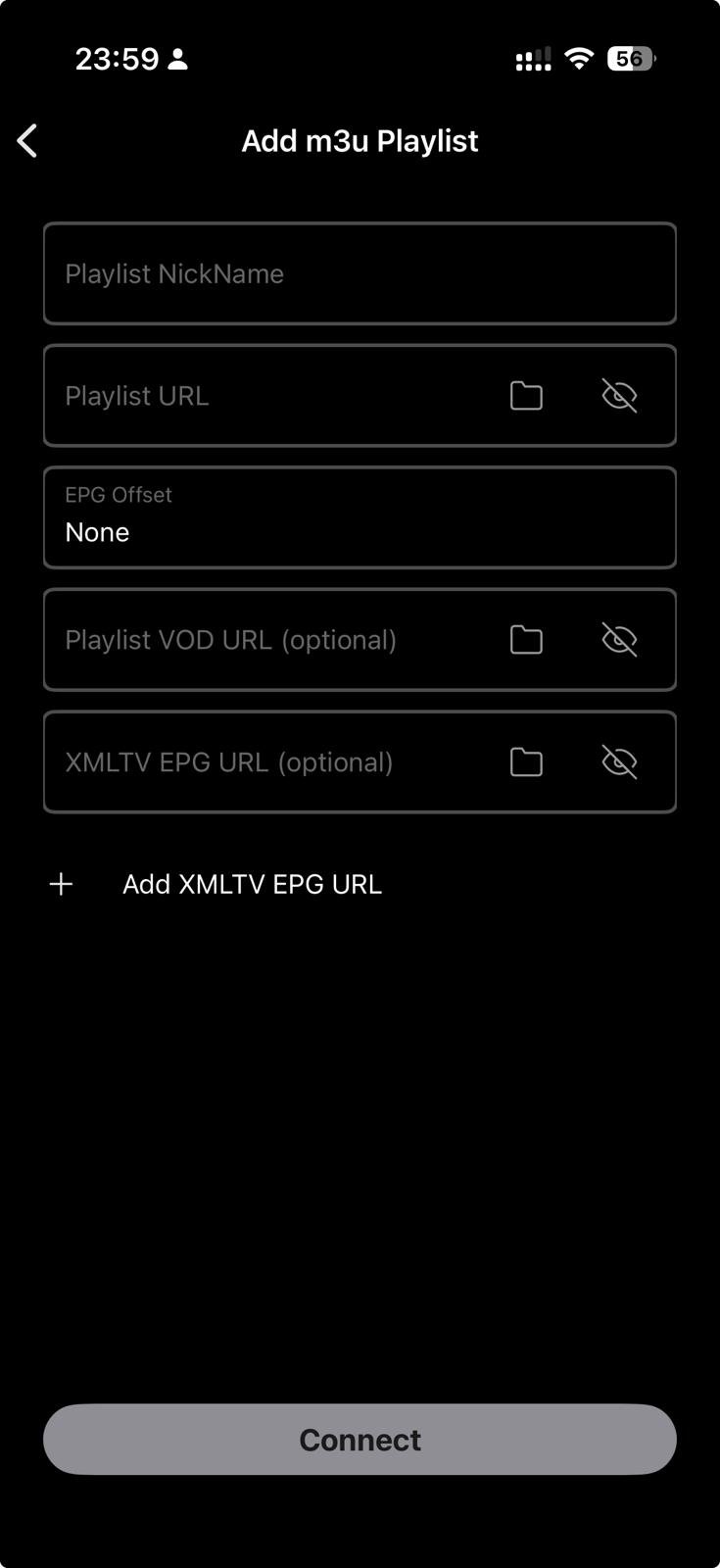
That's it — live TV, movies and series load in a few seconds.
Ready to watch?
Try every channel free for 24 hours. No payment, no commitment.
Option 2: Hot Player or IBO Player
Neither is on the Play Store (Hot Player was removed from it, and the "IBO Player" apps you find there are look-alikes from other developers), so you install them with Downloader:
- Install Downloader by AFTVnews from the Play Store.
- Open it and type 395800 (Hot Player) or 511693 (IBO Player) in the URL field, then tap GO.
- Tap Install. If your phone says Downloader is not allowed to install unknown apps, tap Settings, allow it for Downloader, go back and tap Install again.
- Open the player and note the MAC address (and, for IBO Player, the device key).
- Link your playlist: activate Hot Player or activate IBO Player.
Hot Player and IBO Player are paid apps licensed per device; a licence is included free with our 12-month, 24-month and Lifetime plans via the Applications page.
Troubleshooting
"Failed to connect" in MYTVOnline+
Make sure the M3U link was pasted in full (it is long — check the end was not cut off), that you chose Add m3u Playlist, and that your subscription is active on your account page.
Streams stop when the screen turns off
Android battery saving can pause apps in the background. Open Settings › Apps › MYTVOnline+ › Battery and set it to Unrestricted.
Buffering on mobile data
Switch to Wi-Fi if you can, or lower the stream quality in the app's settings. More: IPTV buffering: what actually works.
FAQ
Is MYTVOnline+ really free?
Yes. The app is free on Android and iPhone; you only need your IPTV subscription.
Can I cast from my phone to the TV?
Yes, but for daily use it is better to install a player on the TV itself — see the guides for Android TV, Firestick, Samsung and LG.
Can I watch on my phone and TV at the same time?
One subscription is one stream at a time. Watching on two devices at once needs a second subscription.
Prefer clicking? Use the installation guide for Android.
Prefer to click through it?
The interactive installation guide shows the exact steps for your device and player.
Open the installation guide →