Installation Guide

On this device we use Hot Player: it is published in the official store, so there is nothing to sideload. IBO Player is not available here.
Install the app on your device
Roku cannot install apps from outside its own store, so Hot Player is added like any normal Roku channel.
- 1
Turn on your device and open Roku Channel Store.
- 2
Search for Hot Player.
- 3
Before you install, check that the developer is DIGI VIBES SARL.
- 4
Select Install, wait until it finishes, then open the app.
- 5
The app shows a MAC address on the screen. Write it down — you need it in Phase 2.
Add your subscription to the app
- 1
On your phone or computer, open hotplayer.app/upload in a browser.
- 2
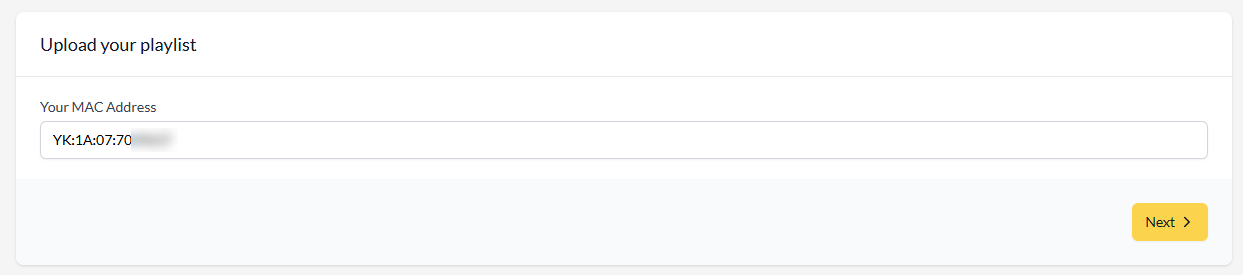
Type the MAC address shown in the app on your device, then select Next.
- 3
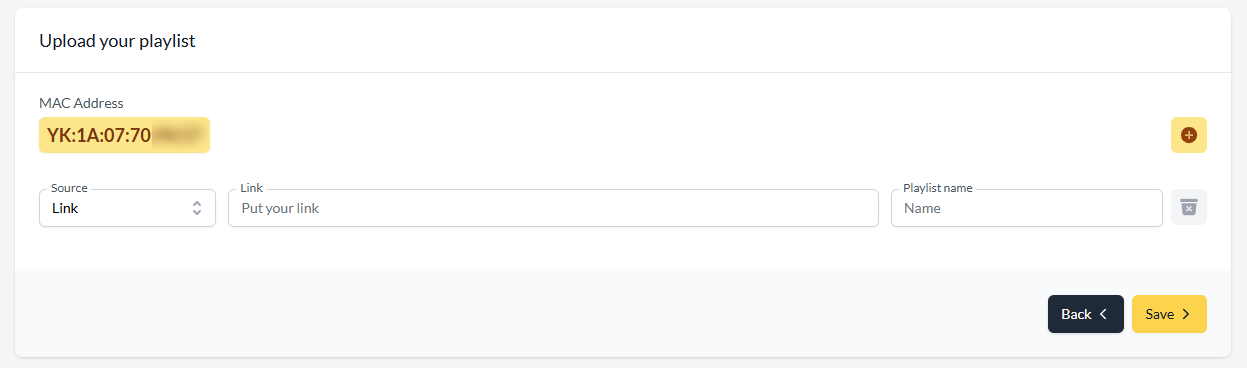
Leave Source on Link, paste the M3U link we sent you by email, give the playlist any name, then select Save.
- 4
Close the app on your device and open it again — your channels, movies and series appear.
Want more detail?
Our full guide covers this setup with tips and fixes for common problems.
Need a hand?
Send us the MAC address (and device key) shown on your screen and we set everything up for you.