Installation Guide

On macOS we use IBO Player — Hot Player has no Mac version.
Install the app on your device
- 1
Open iboplayer.com/downloads and download the version for your computer.
- 2
Install the program and open it.
- 3
The app shows a MAC address and a device key on the screen. Write both down — you need them in Phase 2.
Add your subscription to the app
- 1
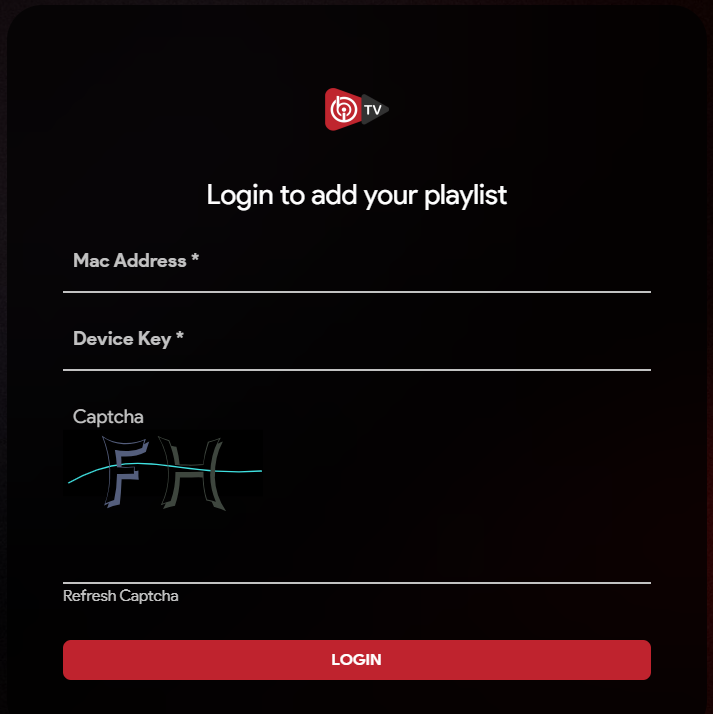
On your phone or computer, open iboplayer.com/device/activate in a browser.
- 2
Type the MAC address and the device key shown in the app on your device, copy the captcha letters, then select LOGIN.
- 3
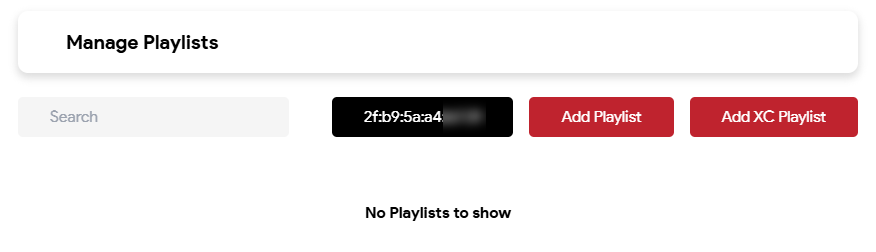
You land on Manage Playlists. Select Add Playlist — not Add XC Playlist, that one is for a different kind of subscription.
- 4
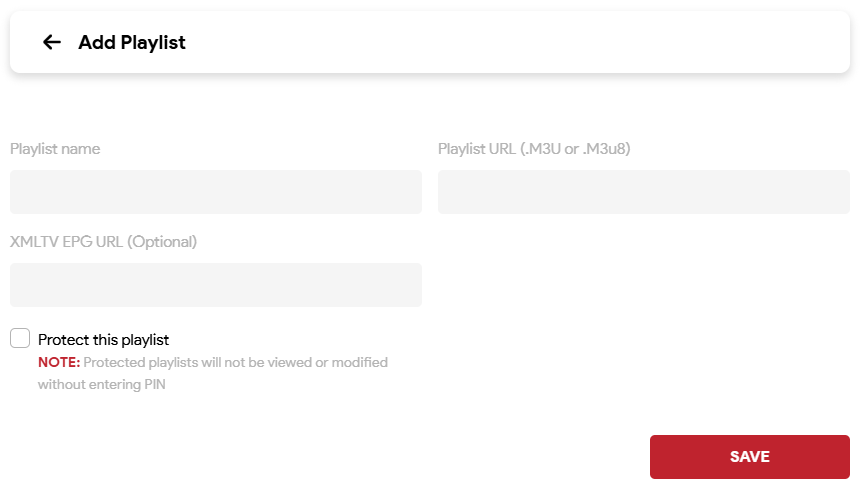
Give the playlist any name, paste the M3U link we sent you by email into Playlist URL, leave the EPG field empty, then select SAVE.
- 5
Close the app on your device and open it again — your channels, movies and series appear.
Need a hand?
Send us the MAC address (and device key) shown on your screen and we set everything up for you.